Our volunteer recruitment tool is here
How to publish volunteer opportunities and manage enquiries
Originally published 3 December 2025
We’ve created a digital tool for recruiting volunteers.
Since January 2026, people new to Girlguiding have been able to register for opportunities using our volunteer recruitment tool. From 12 May 2026, anyone will be able to register for opportunities on the tool.
If you’re a volunteer with recruiter permissions, you can log into the volunteer recruitment tool using the same details you use for GO or the learning platform.
What is the volunteer recruitment tool?
The volunteer recruitment tool is a digital tool for volunteer recruiters in Girlguiding to upload opportunities and connect with potential new volunteers, funded by our mission partner, the Pears Foundation. Think of it like a property or job search website like Rightmove or Indeed, but for volunteering with Girlguiding. As a volunteer who recruits other volunteers, you can use easily adaptable templates to post and share specific opportunities on the tool in line with your recruitment needs.
People who are interested in volunteering with us can now search by their postcode, the section or area they’re interested in volunteering with, their availability and interests, and register directly for an opportunity that suits them. This has now replaced the previous registration process, which required potential volunteers to fill out a form and select a nearby unit, without knowing what kind of help that unit needs. This was the same process for all new potential volunteers, even if they didn’t want to volunteer in a unit.
We know that volunteers in recruitment roles spend a lot of time talking to potential volunteers about the kinds of roles they might do, and these potential volunteers might not be interested in the types of roles available. With the volunteer recruitment tool, we can now match the right people to the right volunteer roles much more effectively. The tool will save time overall in responding to enquiries and ensure potential volunteers have clear and upfront information on what they’re applying for.
Who can use the tool to upload opportunities?
The tool is live now to upload opportunities – go to the volunteer recruitment tool.
This table shows which roles have access to use the volunteer recruitment tool to upload opportunities for their level or below.
|
Level of guiding |
Roles with recruiter permissions |
|
County |
County commissioner |
|
County commissioner designate |
|
|
Assistant county commissioner |
|
|
County administrator |
|
|
County enquiry coordinator |
|
|
County GO coordinator |
|
|
County office member |
|
|
County secretary |
|
|
Deputy county commissioner |
|
|
Division |
Division commissioner |
|
Division commissioner designate |
|
|
Assistant division commissioner |
|
|
Division administrator |
|
|
Division secretary |
|
|
District |
District commissioner |
|
District commissioner designate |
|
|
District administrator |
|
|
District assistant |
|
|
District secretary |
Who can use the tool to apply to volunteer?
The tool is now live and available for people to browse and apply for opportunities. But don’t worry if you haven't uploaded an opportunity in your area yet. You can continue to upload, unpublish and re-publish opportunities whenever you need.
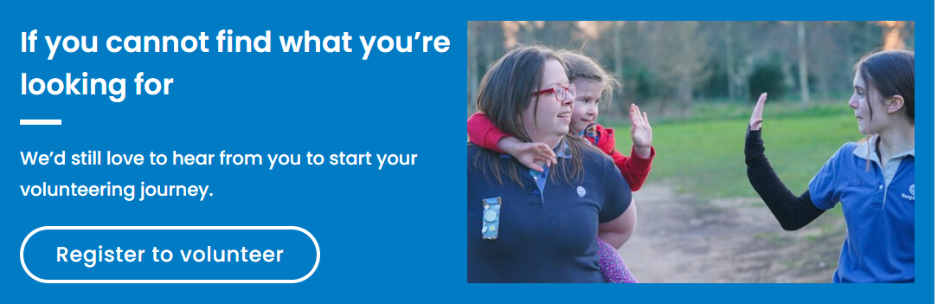
From 12 May 2026, anyone can use the volunteer recruitment tool to apply for specific opportunities. That includes people new to Girlguiding and those with an existing connection (anyone who's a current or previous parent or carer, volunteer or young member). If no suitable opportunities are available, people new to Girlguiding can click 'Register to volunteer' on the card labelled 'If you cannot find what you're looking for' which appears at the bottom of every results page.
For now, those with an existing connection to Girlguiding will need to express their general interest in volunteering in the 'My enquiries' tab on GO. See step-by-step guide on how to volunteer as an existing user.
What's changing?
Those with an existing account on GO – that includes anyone who’s a current or previous volunteer, parent, carer or young member – will be able to apply for specific volunteer opportunities using the volunteer recruitment tool. If there are no suitable opportunities, they can continue to use the ‘My enquiries’ tab in GO to express their interest in volunteering.
- On 13 January 2026 we launched the volunteer recruitment tool to the public, and it replaced the previous ‘Join us’ form on the Girlguiding website for registering to volunteer. Anyone accessing the old ‘Join us’ URL is redirected to the tool. You can now share a link directly to the opportunities you’ve created - find out how to do that in the support resources below.
- On the tool there are 2 options for enquirers – they can either apply for a specific opportunity listed near them or, if there’s no suitable opportunity listed yet, they can submit an expression of interest.
- Alongside the launch of the tool to the public, we’ve made updates to which level of guiding enquiries are directed within GO.
- If someone applies for an opportunity based in a unit (or listed at a unit level on the tool), this enquiry will go to the closest district or division, depending on how guiding is structured in that area. You can see the specific unit (for example, 1st St Albans Brownies) under the level in the volunteer enquiries area of GO.
- If it’s an opportunity attached to a district, division or county, this enquiry will go to the level of guiding the opportunity is listed at. For example, if someone applies for a division helper, this will go to the division. If someone applies for a county admin role, this will go to the county.
- There’s also the option to submit an expression of interest on the tool if there aren’t any specific opportunities that suit. Enquirers can do this by clicking ‘Register to volunteer’ on the card labelled ‘If you cannot find what you’re looking for’, which appears on every results page on the tool. Expression of interest enquiries (unless they’re from under 18s) go directly to the county. Under 18s expressing their interest will select a preferred unit but will be directed to the closest district or division, depending on the local area. You can see the preferred unit selected under the level in the volunteer enquiries area of GO.
- We understand this is a change, and not all counties may want or be set up to handle expression of interest enquiries. We’ve created a generic volunteering template, ‘Volunteering with Girlguiding in [your area]’ in the tool, which all levels can publish. If someone applies for a generic volunteering opportunity listed in your area, this enquiry will go to the closest district or division. It’s quick and simple to upload, and should reduce the number of general enquiries going to county level.
- The ‘Volunteer enquiries’ area of GO has been updated to feel more user friendly, including reducing the number of tabs so you can view and manage all your enquiries in one place. In the refreshed tab:
- You can see all existing enquiries that were already in GO as well as any new enquiries that come in from now.
- Districts and divisions can now refer enquiries on to county level and other districts or divisions in GO if they can’t find a suitable role in their area.
- Counties can now also refer enquiries, including expression of interest enquiries, on to districts or divisions.
- Under the alternative title heading you can now see either i) the title of the specific opportunity listed on the tool that the enquirer has applied for, or ii) if they’ve submitted an expression of interest or iii) if the enquiry is from an under 18.
- Under the level heading you can now see the name of the specific unit or level the enquiry is attached to. If the enquiry is from an under 18 you’ll see their preferred unit they selected when registering.
- See support resources for guidance on using this tab in GO.
Those with existing recruiter access on GO at district, division and county (see table above) are now able to log into the volunteer recruitment tool, using the same login you use for GO or the learning platform, and post opportunities at your guiding level and below.
What hasn't changed?
- The onboarding process and steps to becoming a volunteer (like providing referees, completing safer guiding training and requirements for disclosure checks) are the same. There are no changes to the recruitment and vetting policy and procedure as part of this project. But as part of our regular policies review, we made an update to the recruitment and vetting policy and procedure in January 2026.
- As of 12 May 2026, existing users (anyone who’s an existing or previous parent, carer, volunteer or young member) who cannot find a specific opportunity that suits them will continue to express interest in volunteering via GO. See step-by-step instructions for how to do this in GO. These enquiries will continue to be directed to the closest district or division to them.
- At all levels, the person assigned as level main contact in GO will continue to receive notifications about new enquiries. And areas can still view and manage all enquiries at their level and below. This includes countries and regions. The roles with access on GO to view and manage enquiries has not changed. These are the same roles with access to upload opportunities on the tool - see table above.
What does this mean for me?
- Since 4 December 2025, volunteers with recruiter access on GO in your county have been able to advertise and recruit for specific volunteer opportunities in your area.
- Now the tool is live to the public, if you haven't already, it'd be helpful to put a process in place for how to manage enquiries coming in at county level. We expect most enquiries to come in for specific opportunities and to be managed at district or division level. But it’s a good idea to think about who might manage expressions of interest or those enquiries passed on to county by district or divisions. This doesn’t have to be your county commissioner.
See list of roles who’ll have access on GO to view and manage county enquiries and expressions of interest. You should also discuss who’ll be the county main contact on GO (this is the person who receives notifications about new enquiries). Here are some options for managing enquiries at county level:- You can refer to district or division in a couple of clicks. See support resources for guidance on how to do this in the refreshed tab.
- As you have an overview of your county, you might be well placed to know where the gaps are. If this is the case, you can get in touch with the enquirer and discuss volunteering, then redirect them once you know more about where they’d like to help and what they’d like to do. Or you might confirm their role if there’s a suitable one in your county.
- If you’d prefer to reduce the amount of expression of interest enquiries, you can upload a generic volunteering template (for example ‘Volunteer in Milton Keynes’) to encourage general enquiries to go to district or division level. You'll just need to select the pre-populated generic volunteering template, in the volunteer recruitment tool, make some minor edits and click publish.
However you've chosen to manage expressions of interest coming in at county level, we'd encourage you to speak to your district or division teams about what you decide.
You can list the volunteer roles you need at county level on the tool. From 12 May 2026, anybody can apply for specific opportunities you list on the tool, whether they’re new to Girlguiding or already have an existing connection (such as parent or carer or already volunteering with us). Consider where volunteers are needed at county and start uploading opportunities.
- Volunteers with recruiter access on GO in your district or division are now able to advertise and recruit for specific volunteer opportunities in your area. There’s a choice of templates available in the tool to edit according to your area’s needs.
- From 12 May, anyone can apply for the specific opportunities you list on the tool, whether they’re new to Girlguiding or already have an existing connection (such as parent or carer, or previous volunteer).
- Speak to your teams and consider where volunteers are needed in your area. Then you can start uploading volunteer opportunities on the tool.
- Now the tool is live to the public, be prepared for enquiries to start coming through for the specific opportunities you’ve published. You may still receive general enquiries from existing users (that’s anyone who’s a current or previous parent, volunteer or young member) and under 18s looking to volunteer in your area. You’ll also receive any general enquiries that have been referred on by county. It's a good idea to speak to your county about how your area is choosing to handle expressions of interest, so you can know how to manage them.
- You can still see all enquiries in your area on the volunteer enquiries tab in GO. It has a new look and feel, and you can now use it to pass enquiries on to county if you can’t find a suitable role in your area. See support resources for guidance on how to do this in the refreshed tab.
- Your local district or division can now advertise specific volunteer opportunities in your units on the volunteer recruitment tool. Speak to them about what help you need and the opportunities you’d like listed.
Support resources for using the tool and managing volunteer enquiries
Support calls for using the volunteer recruitment tool
Join upcoming live support sessions to help with volunteer recruitment using the tool, where you'll have the chance to hear more about the tool and ask questions.
- Getting the most out of the volunteer recruitment tool - Thursday 27 August (7:30–8:30pm)
We'll be sharing tips on how you can get the most out of the volunteer recruitment tool to suit specific recruitment needs in your area.
Register for 'Getting the most out of the volunteer recruitment tool'
Video demo of how to use the volunteer recruitment tool
Step-by-step guide for using the volunteer recruitment tool
These slides contain a step-by-step guide on how to use the volunteer recruitment tool, including how to upload and manage opportunities, how to find your opportunity once it's been published, and where to get help.
Download the step-by-step guide for using the tool (PowerPoint, 10.1MB)
Video demo of how to manage volunteer enquiries in GO
Step-by-step guide for managing volunteer enquiries in GO
This PDF contains a step-by-step guide on how to manage volunteer enquiries in GO, including how to move enquirers through the enquiry process and between guiding levels, and how to view enquiries only at county level for county recruiters.
Download the step-by-step guide for managing enquiries (PDF, 1.5MB)
Questions you may have
If a potential volunteer searches for an opportunity and there aren’t any listed, don’t worry. Anyone new to Girlguiding will still have the option to express their interest in volunteering by clicking the ‘Register to volunteer’ button under ‘If you cannot find what you’re looking for’, which appears on every results page. These enquiries go to county level. People with an existing connection to Girlguiding will be directed to express their interest via GO - these enquiries will go to the closest district or division.
If your county isn’t set up for managing expressions of interest, we’d encourage local areas to list specific opportunities where volunteers are needed - or have a generic volunteering opportunity listed on the tool – so enquiries go to district or division.
Having specific opportunities listed in your area also helps reduce time for recruiters discussing options, and helps give people all the information they need upfront to make the right choice for them.
Yes, when you get a chance! Now the tool is live to the public, we’ve redirected anything which pointed to the old registration form – so there’s no risk of potential volunteers being sent to the wrong place. However, it’s best practice to link straight to the new URL (https://volunteer.girlguiding.org.uk/), so we’d recommend you update any links when you're able.
Now we've shared the tool with the public, you can now share links that go directly to specific opportunities. This is only for published opportunities, and can help you direct people on social media or when messaging. See support resources for more.
We’ve launched the tool with a few pre-populated templates for recruiters to pick from and edit to suit your specific needs. There’s unit helper, leader, unit admin, district or division helper, district or division admin, young leader, young volunteer as well as a generic volunteering template. We'll continue to review the templates needed. If you have any feedback on the templates, please email [email protected].
Good news! Countries and regions still have access to view and manage volunteer enquiries in their area. So, if they previously made first contact with enquirers, they can still do this. We’d advise speaking to your country or region about how to manage enquiries coming in together with the new process in place.


